In this how-to post, I’ll explain how to extract URLs from a sitemap, using several techniques:
- Google Sheets with the IMPORT XML formula
- Screaming Frog
- Python
- External service
Extract URLs from a sitemap with Google Sheets
One of the main advantages of retrieving URLs directly in Google Sheets is the possibility offered to populate them with data from Google Analytics or Google Search Console in the same spreadsheet. To achieve that, follow the upcoming instructions:
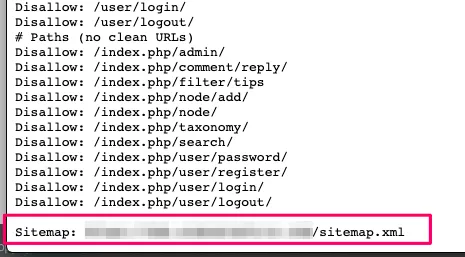
- Get the sitemap URL that you wish to extract URLs from. It is usually https://www.example.com/sitemap.xml. If you don’t know which URL your sitemap is using, have a look at the robots.txt file (https://www.example.com/robots.txt), because it may be indicated there:
- Create a new spreadsheet in Google Sheets. You can use the domain https://sheets.new to create one in one click without having to go through neither Google Drive’s nor Google Sheets’ Homepage.
- In one of the cells, include the following formula:
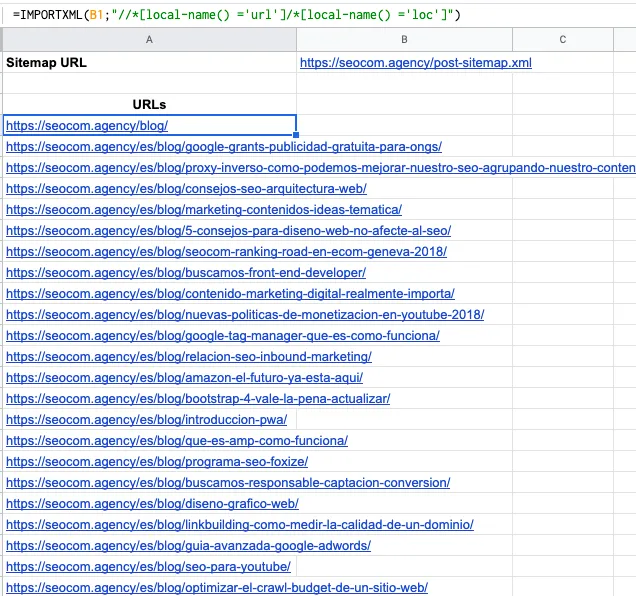
As you can see, it is one of the simplest techniques out there to achieve the desired result. Nevertheless, you may not work with Google in your company, therefore I’ll explain how to use different methods to get the same outcome.
Extract URLs from a sitemap with Screaming Frog
Screaming Frog is one of the most useful tools that you must be used as a SEO. To extract URLs from a sitemap (without even crawling them), you can use a super simple trick:
- Abrid Screaming Frog y usar el modo List
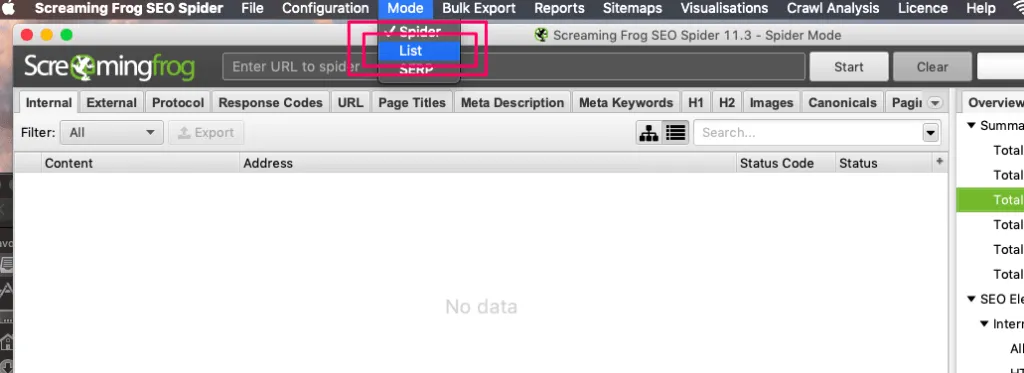
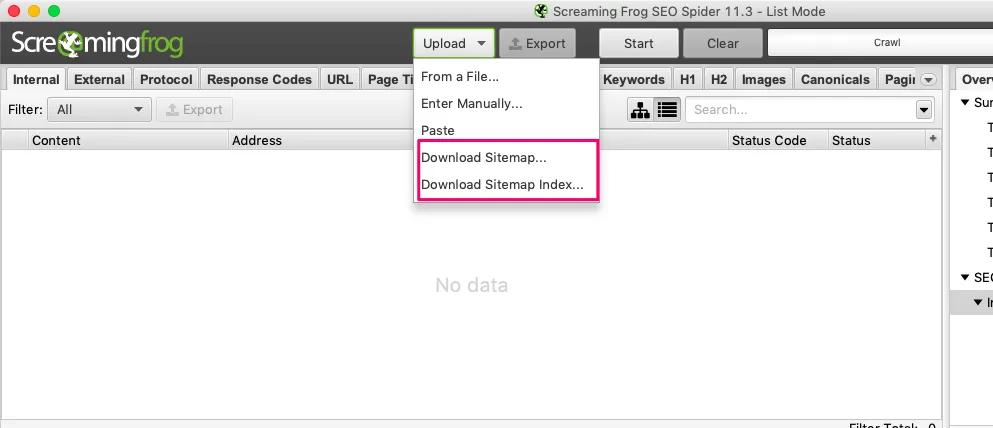
- Click on the “Upload” button and choose the “Download Sitemap” or “Download Sitemap Index” option, depending on the file you will input.
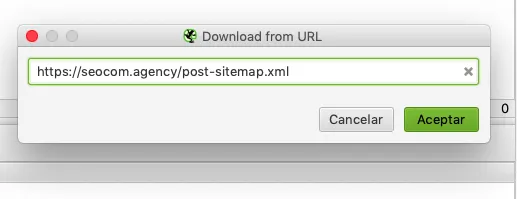
- Enter the URL
- Wait a bit, select the text appearing in the window (CMD+A or CTR+A to select everything) and copy it (CMD+C or CTR+C)
- Paste the text in a Google Sheets document
- Remove the first two and the last lines of the pasted text
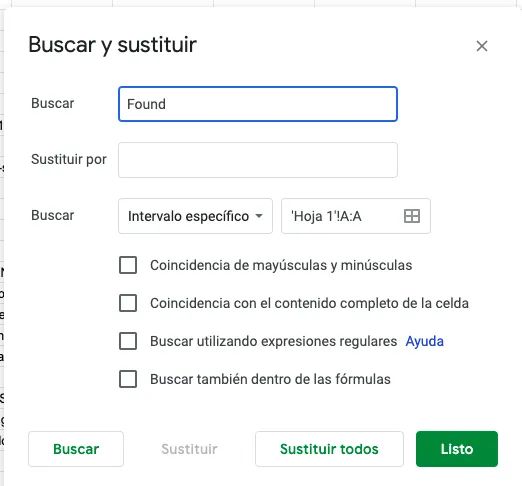
- Look “Found“ (with space) and replace it with “” (nothing)
- You should have the complete list
Of course, if you want to get information on these URLs (such as response code), you must crawl them, but the objective of this how-to post is to explain how to retrieve the URLs list only, not how to crawl them as well :)
Extract URLs from a sitemap with Python
If you are familiar with Python, you can use the following formula in your workflow:
`def ExtractSitemap(url, sitemap_index):
xml = []
final_xml = []
if sitemap_index == 0:
r = requests.get(url)
soup = Soup(r.content, features=‘lxml’)
urls = soup.findAll(‘loc’)
for element in urls:
url = str(element)
url = url.replace(”, ”).replace(”, ”)
final_xml.append(url)
elif (sitemap_index == 1):
r = requests.get(url)
soup = Soup(r.content, features=‘lxml’)
urls = soup.findAll(‘loc’)
for element in urls:
url = str(element)
url = url.replace(”, ”).replace(”, ”)
xml.append(url)
for element in xml:
r = requests.get(element)
soup = Soup(r.content, features=‘lxml’)
urls = soup.findAll(‘loc’)
data_new.append(element)
for element in urls:
url = str(element)
url = url.replace(”, ”).replace(”, ”)
final_xml.append(url)
return final_xml`
This function accepts two parameters:
- Sitemap URL
- Whether the sitemap is an index (1) or a regular sitemap (0)
If you want this function to work, you’ll need Requests along with BeautifulSoup installed in your Python environment.
Extract URLs from a sitemap with an external tool
You can find several tools out there allowing you to download a URLs list from a sitemap, but if I have to pick one, I’d go for https://robhammond.co/tools/xml-extract, which is simple and effective.
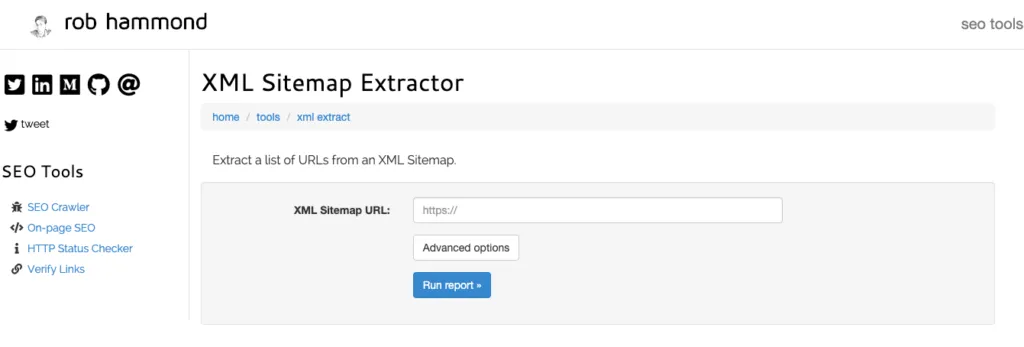
You just have to enter the sitemap URL and the tool will extract the URLs. How simpler can it be?
I hope you enjoyed this how-to guide. If that’s the case, please share it :) Any doubt or comment you may have, please get in touch with me through the comments section or via Twitter.